
How to Build Your First AI Agent in 2026: A Step-by-Step Beginner's Guide
Learn how to build your first AI agent step by step. Understand how AI agents use language models, tools, and memory, write a simple agent loop in Python, add guardrails, and explore the skills you need to move from basic chatbots to goal-driven AI systems.
Introduction: From Chatbots to AI Agents
Most people's first experience with AI is a chatbot. You type a question, and it gives you an answer. That is useful, but it is only one part of what modern AI can do.
An AI agent goes one step further. Instead of only replying, it can decide what to do next, use tools such as a calculator, a search engine, or a database, check the result, and continue until it reaches a goal.
In our previous article, Agentic AI in 2026: How AI Agents Are Transforming the Future of Technology, we explained what Agentic AI is and why it matters. In this guide, we move from concept to practice. You will learn the building blocks of an AI agent and write a simple agent in Python, step by step.
What Is an AI Agent?
An AI agent is a software system that uses a language model to work toward a goal by planning steps, choosing tools, taking actions, and evaluating results within defined limits.
For example, if you ask a chatbot, "What will 3 movie tickets at ₹250 each plus a ₹40 booking fee cost?", it may try to calculate the answer in text. An AI agent can recognise that this is a math task, call a calculator tool, read the result, and then give you a verified answer.
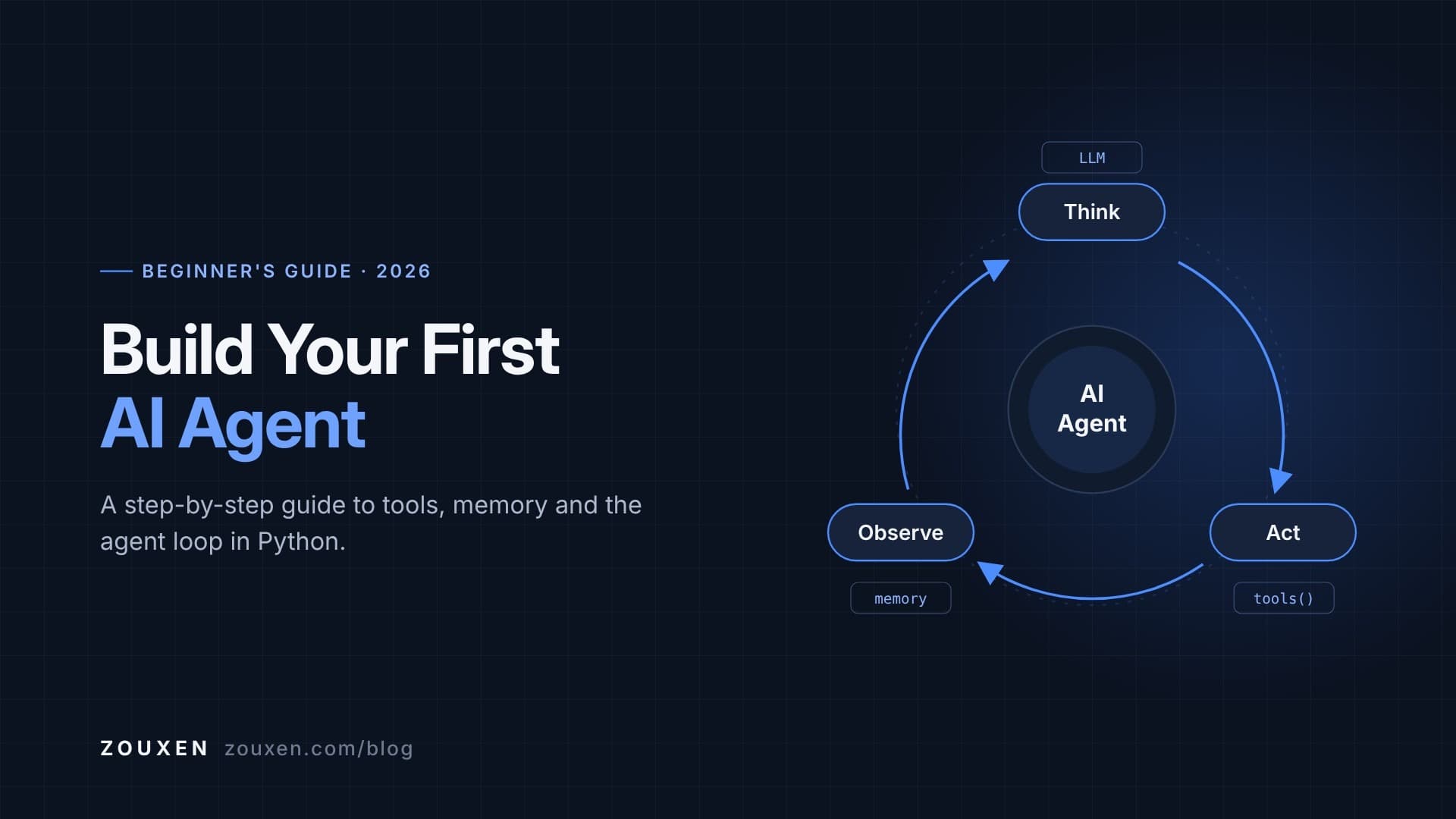
The key idea is simple: the model decides, the tools act, and the loop continues until the task is complete.
Core Components of an AI Agent
1. The Language Model (the "brain")
The LLM interprets the user's goal, reasons about the next step, and decides whether to use a tool or give a final answer.
2. Tools (the "hands")
Tools are functions the agent can call, such as a calculator, a web search API, a database query, a weather API, or a Python code runner.
3. Instructions (the system prompt)
The system prompt tells the agent what its role is, which tools it can use, and how it should format its decisions.
4. Memory and Context
Memory stores earlier messages, tool results, and progress so the agent can handle multi-step tasks without losing track.
5. The Agent Loop
The loop repeats a simple cycle: Think → Act → Observe → Repeat, until the goal is reached or a limit is hit.
6. Guardrails
Guardrails include step limits, input validation, permissions, and error handling. They keep the agent safe, predictable, and cost-efficient.
Chatbot vs. AI Agent
| Feature | Chatbot | AI Agent |
|---|---|---|
| Main purpose | Answer a question | Complete a goal |
| Workflow | Prompt → response | Think → act → observe → repeat |
| Tool usage | Usually none | Central to how it works |
| Number of steps | Single step | Multiple steps |
| Example | Explains how to calculate a bill | Calls a calculator and returns the exact total |
What You Need Before You Start
You do not need to be an AI expert to build your first agent. You should be comfortable with:
- Python basics: functions, dictionaries, loops, and error handling
- Working with APIs: sending a request and reading a JSON response
- JSON: reading and writing structured data
- An LLM API key: from any provider (OpenAI, Anthropic, Google Gemini) or a local open-source model
- A code editor: VS Code, Jupyter Notebook, or Google Colab
Step-by-Step: Build Your First AI Agent
Step 1: Define a Clear Goal
Start small. A good first agent has one clear job and two or three tools. In this guide, we will build a Smart Assistant Agent that can solve math problems and check the weather for a city.
A clear goal makes it easier to test whether your agent is working correctly.
Step 2: Choose Your Language Model
Any modern LLM that follows instructions well can power a simple agent. Beginners often start with a hosted API because it is quick to set up. Open-source models running locally are a good option if you want to learn without usage costs.
Keep your API key in an environment variable, never directly inside your code.
Step 3: Create the Tools
Tools are normal Python functions. The agent will decide when to call them.
def calculator(expression: str) -> str:
    """Solves a simple math expression (for learning purposes)."""
    allowed = set("0123456789+-*/(). ")
    if not set(expression) <= allowed:
        return "Error: invalid characters in expression"
    try:
        return str(eval(expression))
    except Exception as e:
        return f"Error: {e}"


def get_weather(city: str) -> str:
    """Returns sample weather data. Replace with a real weather API later."""
    sample_data = {"delhi": "32°C, sunny", "bengaluru": "26°C, light rain"}
    return sample_data.get(city.lower(), "Weather data not available for this city")


TOOLS = {
    "calculator": calculator,
    "get_weather": get_weather,
}
Note: eval() is used here only to keep the example short. In real projects, use a safe math-parsing library.
Step 4: Write the System Prompt
The system prompt explains the agent's role, lists the available tools, and defines a structured response format so your code can read the model's decisions.
SYSTEM_PROMPT = """You are a helpful AI agent.

Available tools:
- calculator(expression): solves math expressions
- get_weather(city): returns the current weather for a city

Reply ONLY in JSON, using one of these formats:
{"action": "tool", "tool": "<tool_name>", "input": "<value>"}
{"action": "final", "answer": "<your final answer>"}
"""
Step 5: Build the Agent Loop
This is the heart of every AI agent. The loop sends messages to the model, reads its decision, runs a tool if needed, and feeds the result back to the model.
import json


def call_llm(messages):
    """Connect your LLM provider here and return the model's text reply.
    (Some providers take the system prompt as a separate parameter.)"""
    raise NotImplementedError("Add your LLM API call here")


def run_agent(goal: str, max_steps: int = 5) -> str:
    messages = [
        {"role": "system", "content": SYSTEM_PROMPT},
        {"role": "user", "content": goal},
    ]

    for step in range(max_steps):
        reply = call_llm(messages)                      # THINK
        messages.append({"role": "assistant", "content": reply})

        try:
            decision = json.loads(reply)
        except json.JSONDecodeError:
            messages.append({"role": "user", "content": "Please reply in valid JSON only."})
            continue

        if decision.get("action") == "final":
            return decision.get("answer", "")         # GOAL REACHED

        tool = TOOLS.get(decision.get("tool"))
        if tool is None:
            observation = "Error: unknown tool"
        else:
            observation = tool(decision.get("input", ""))   # ACT

        messages.append({"role": "user", "content": f"Observation: {observation}"})  # OBSERVE

    return "Stopped: maximum step limit reached."


print(run_agent("What is the total cost of 3 tickets at 250 each plus a 40 booking fee?"))
Here is what happens when you run it:
- The model reads the goal and decides to use the
calculatortool with3*250+40. - Your code runs the tool and returns the observation
790. - The model reads the observation and returns a final answer: "The total cost is ₹790."
Congratulations, this is a working AI agent. It thinks, acts, observes, and stops when the goal is reached.
Step 6: Add Memory
In the example above, the messages list already acts as short-term memory for a single task. To make your agent remember information across sessions, you can:
- Save conversation history to a file or database
- Store summaries of earlier conversations instead of full transcripts
- Use a vector database to retrieve relevant past information (a technique closely related to RAG)
Step 7: Add Guardrails and Error Handling
Reliable agents are designed to fail safely. Before sharing your agent, add:
- Step limits: prevent infinite loops (our
max_stepsalready does this) - Input validation: check tool inputs before running them
- Permissions: allow only approved tools and actions
- Cost limits: track API usage, especially during testing
- Human approval: require confirmation before sensitive actions such as sending emails or changing data
Step 8: Test and Evaluate
Test your agent with different types of tasks:
- Simple tasks ("What is 15% of 2,400?")
- Tasks that need a tool ("What's the weather in Delhi?")
- Tasks with no suitable tool ("Book a flight for me")
- Unclear or tricky inputs
Check whether the agent picks the right tool, handles errors properly, and stops at the right time. A small agent that behaves reliably is more valuable than a complex agent that is unpredictable.
Going Further: Native Function Calling and Frameworks
In this guide, we asked the model to reply in JSON so you can see exactly how an agent works. Most modern LLM APIs also support native function calling (tool use), where you describe tools in a structured schema and the model returns tool calls in a reliable format. Once you understand the basic loop, switching to native function calling is a natural next step.
When your projects grow, frameworks can save time:
| Framework | Best for |
|---|---|
| LangChain / LangGraph | Building tool-using agents and multi-step, stateful workflows |
| LlamaIndex | Agents that work with documents and knowledge bases (RAG) |
| CrewAI | Multi-agent systems where agents take on different roles |
| Provider agent SDKs (e.g. OpenAI, Anthropic) | Building agents directly on a specific model provider's tools |
Tip: Build at least one agent without a framework first. Understanding the loop yourself makes frameworks much easier to learn and debug.
Common Beginner Mistakes to Avoid
- Starting too big: Begin with one goal and two or three tools.
- Vague tool descriptions: The model chooses tools based on their descriptions, so make them clear.
- No step limit: Without one, an agent can loop and waste API credits.
- Skipping error handling: Tools fail. Your agent should handle failures gracefully.
- Hard-coding API keys: Always use environment variables.
- Not testing edge cases: Test what happens when no tool fits the task.
AI Agent Project Ideas for Beginners
1. Study Planner Agent
Takes your exam dates and subjects, then creates a day-by-day study schedule.
2. Expense Tracker Agent
Reads expenses from a CSV file, calculates totals by category, and summarises spending patterns.
3. Document Q&A Agent
Answers questions from PDFs or notes using retrieval, with references to the source text.
4. Data Analysis Agent
Loads a dataset with Pandas, creates charts, and explains key trends in simple language.
5. Research Assistant Agent
Searches approved sources, compares findings, and creates a summary with source links.
Each of these projects is a strong portfolio piece because it shows that you can connect AI models with real tools and data.
Build Real AI Agents with Zouxen
At Zouxen, we believe the best way to learn AI is by building. Understanding concepts is important, but working projects are what help learners grow and stand out.
The 8-Week AI & Data Science Internship Accelerator takes learners from Python foundations to Agentic AI through structured, project-based learning:
- Python and SQL
- Data Analytics and Machine Learning
- Generative AI, RAG, and LLM applications
- Agentic AI and AI agent development
- 7+ portfolio projects
- Mentor-led sessions and weekend labs
- Career guidance and interview preparation
Explore the program: AI & Data Science Internship Accelerator by Zouxen.
Prefer a short, hands-on session first? Check out our upcoming Masterclasses & Workshops.
Conclusion
Building your first AI agent is easier than it sounds. At its core, an agent is a language model, a set of tools, clear instructions, and a loop that keeps working until the goal is complete.
Start with a small, well-defined project. Add tools one at a time, include guardrails, and test carefully. Once you understand the basic loop, you can explore native function calling, memory, RAG, frameworks, and multi-agent systems with confidence.
Start small. Build real agents. Prepare for the future of AI with Zouxen.

Ready to get started with Zouxen?
Whether you're a learner looking to upskill or an institution looking to set up a Zouxen Lab, we'd love to talk.